

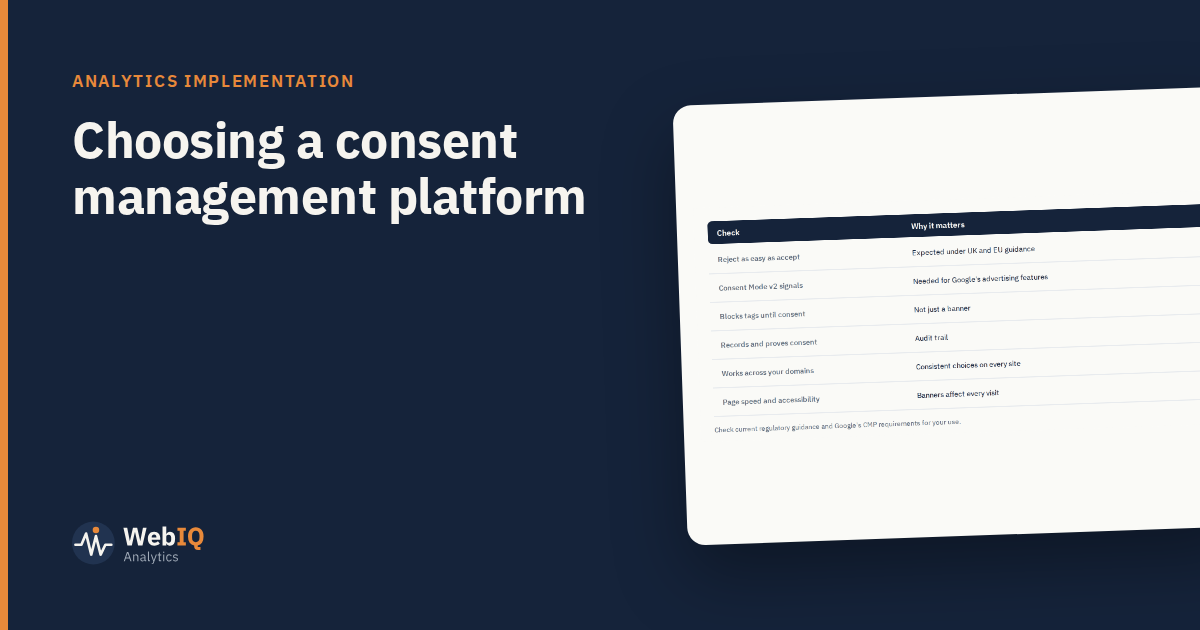
A consent management platform (CMP) runs the cookie banner, records each visitor's choices and controls which tags can run. It affects compliance, data quality and every visitor's first impression. It's worth choosing carefully.
What it must do
- Present a clear choice, with rejecting as easy as accepting. UK and EU regulators expect this.
- Block tags until consent where consent is required, not just show a banner.
- Send consent signals to tags, including Google's Consent Mode v2 signals if you use Google's advertising or analytics products.
- Record consent with time, version and choices, so you can show what each visitor agreed to.
Practical checks
- Integration with your tag manager and the tools you use.
- Multiple domains and apps, with consistent choices across them.
- Page speed: banners load on every page; a slow one costs conversions.
- Accessibility: keyboard navigation, screen readers, contrast.
- Language and region settings if you operate in several countries.
- Google's requirements: if you use certain Google advertising products, check whether a Google-certified CMP is required for your use.
Implementation that protects data
- Set defaults correctly: no non-essential tags before a choice.
- Map every tag to a consent category.
- Test both paths (accept and reject) for every key event.
- Document the configuration and review it when tags change.
What to expect in your data
Consent rates vary by audience and banner design. Expect fewer observed users and conversions than before, and annotate the date the CMP went live in your reports. Don't redesign the banner to manipulate consent rates: dark patterns create legal risk and erode trust.
Measurement that doesn't depend on consent rates
Aggregate methods, like mix modelling and geo tests, don't rely on user-level tracking. As observed data thins, they matter more for budget decisions. A good CMP plus aggregate measurement is a sound combination.