

Consent Mode lets Google tags adjust their behaviour to each visitor's consent choice. Version 2 added two signals, ad_user_data and ad_personalization, alongside the existing ad_storage and analytics_storage. For advertisers in the UK and EEA, sending these signals is required to keep using Google's advertising features with data from those users.
What actually changes
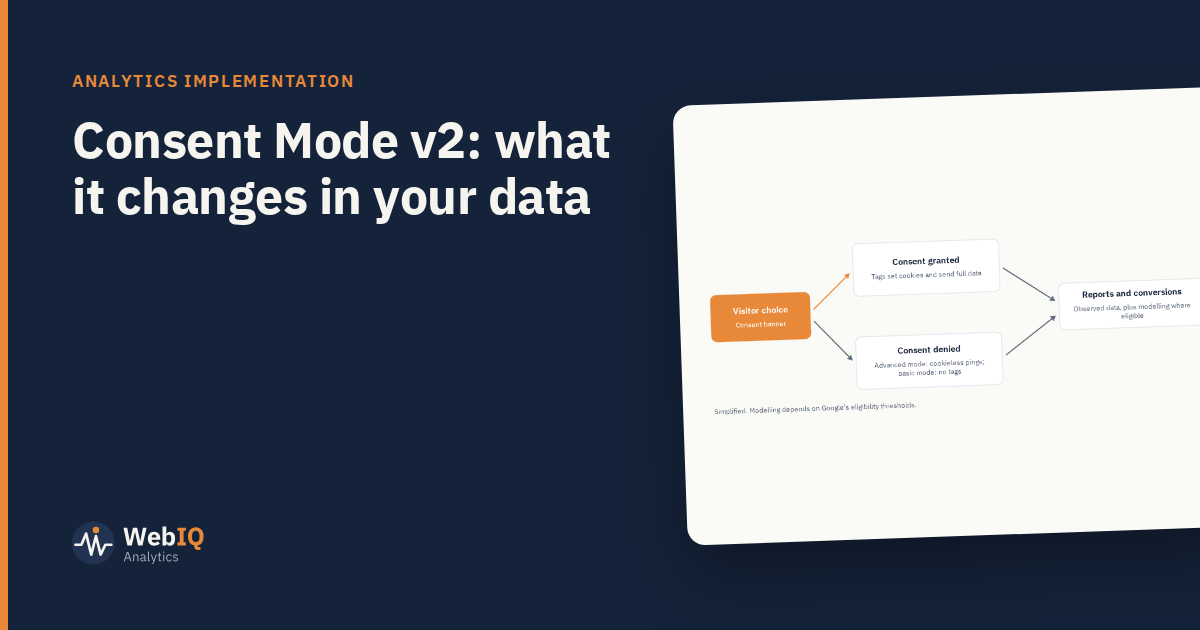
When a visitor accepts, tags behave as normal: they set cookies and send full data. When a visitor declines, behaviour depends on how Consent Mode is implemented.
- Basic implementation: Google tags don't load until consent is given. Nothing is sent for visitors who decline.
- Advanced implementation: tags load but, for visitors who decline, send cookieless pings without identifiers. Google uses these to model behaviour where its eligibility thresholds are met.
What it means for your reports
- Fewer observed users and conversions than before consent banners, which is expected.
- Modelled data may fill some of the gap in GA4 and Google Ads under the advanced implementation, if your property qualifies.
- Breaks in trend lines around the date the banner or implementation changed. Annotate them, or comparisons year on year will mislead.
Getting it right
- Check your consent platform sends all four signals, with correct defaults before any choice is made.
- Test both paths: accept and decline, on desktop and mobile.
- Confirm tags fire, or don't, as expected.
- Document the choice of basic or advanced with your privacy and legal teams. It's a compliance decision as much as a technical one.
What it doesn't change
Consent Mode doesn't make attribution causal, and it doesn't affect aggregate methods like mix modelling, which never needed user-level tracking. As observed tracking thins, those methods become more useful for budget decisions, not less.